DataTools4Heart Docs
Comprehensive documentation for DataTools4Heart community software
View the Project on GitHub DataTools4Heart/documentation-hub
Metadata Catalogue
The open-access Metadata Catalogue aims to enable clinicians, researchers, and AI data scientists to structure and navigate existing and new DataTools4Heart EHR-extract datasets. It provides a comprehensive web-based interface with advanced search, filtering, and visualization capabilities, allowing users to explore metadata in a structured manner.
Access
The Metadata Catalogue can be found here: https://catalogue.datatools4heart.bsc.es
Table of contents
- Homepage
- Browsing Studies
- Search Functionality
- Data Access Process (Public View)
- Tips for Navigation
- Troubleshooting & FAQ (Public Access)
- Glossary (Relevant Terms)
1. Homepage
The DataTools4Heart Catalogue is an AI-ready cardiology dataset discovery portal based on the Mica (OBiBa) platform.
It provides public access to study metadata, dataset descriptions, variables, and access request procedures.
It does not host raw individual-level data; rather, it provides metadata, summary statistics and information on how to gain access
This manual explains how to navigate the public-facing sections of the catalogue.
When you access the website, the homepage introduces the catalogue and provides the main navigation menu.
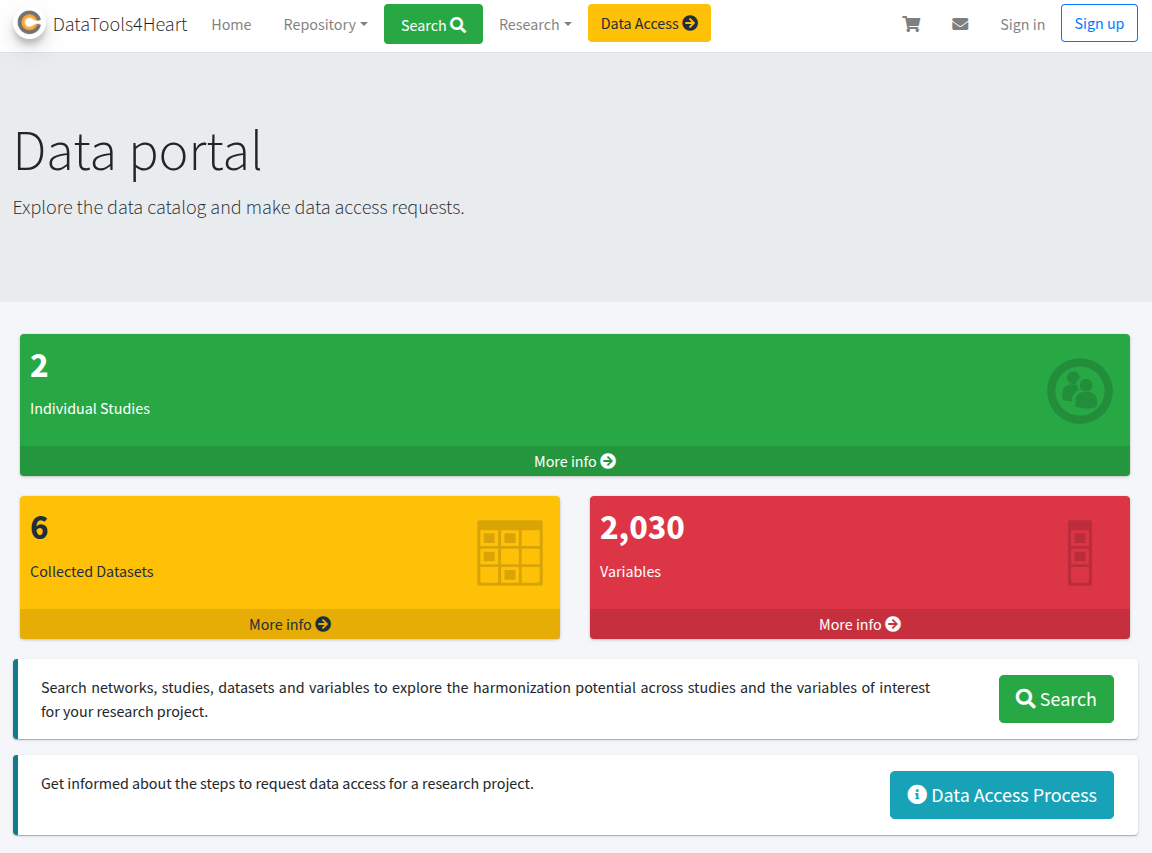
The landing page shows a top navigation menu with:
- A search bar (“Search networks, studies, datasets and variables …”) to type keywords.
- Quick links to Individual Studies, Collected Datasets, Variables.
Also a brief description of the catalogue content with some statistics, like the number of variables or datasets.
The top navigation bar usually contains links such as:
- Home
- Repository
- Data Access Process
- Other informational pages (About, Contact, etc.)
2. Browing Studies
The Repository serves as the entry point to studies, datasets, and variables. You can explore metadata in read-only mode without logging in.
2.1 Individual Studies
Clicking on Individual Studies displays a list of cardiology-related studies. For example, “Study 1”, related to DT4H ‘Use Case 1’.
Each study entry usually shows:
- Study title
- Brief description
- Metadata or links to datasets
You can click on any study to see more details.
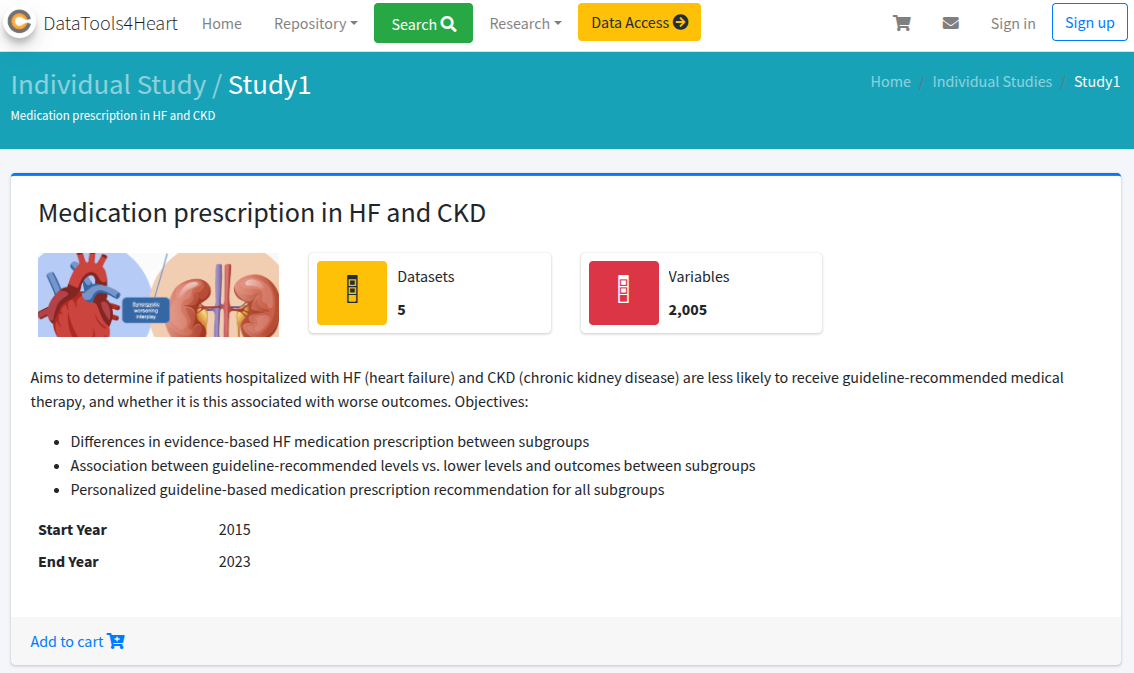
A public study page typically includes:
- Description
- Objectives
- Institutions or data owners
- Inclusion criteria
- Populations
- Datasets linked to that study
- Policy and access rules

2.2 Datasets
Under Collected Datasets, you can view a public list of available dataset descriptions.

DT4H includes two type of Datasets depending on the type of information they contain:
- Features Code Books: allows browsing the variables description of the extracted features associated to each study. E.j. type of data, associated dictinoaries, annoatations, etc.
- Data Availability: allows broswing the presence/absense of the extracted feature grouped per center (i.e.federated data node)
2.2 Variables
The Variables section allows public browsing of AI-ready features extracted as extracted from the FHIR-based common data model of DataTools4Heart.

Users can typically see:
- Variable label/name
- Source (study/dataset)
- Data type or category (if displayed publicly)
3. Search Functionality
The catalogue includes a global search bar or a dedicated search page. You can search studies, datasets, or variables by keywords.

4. Data Access Process (Public View)
A dedicated page explains:
- Steps to request data
- Eligibility or governance structure
- Policies and conditions

As a public user, you can read the procedures before any account-based actions.
Some catalogues display a public list of projects that have already obtained data access.

This section may include:
- Project title
- Lead institution
- Summary or objectives
5. Tips for Navigation
- Use the main menu to switch quickly between sections.
- Explore the Repository first to understand the scope of cardiology datasets.
- Use keywords in the search bar to find relevant studies or variables quickly.
- Public view generally does not allow data downloads or detailed variable inspection.
6. Troubleshooting & FAQ (Public Access)
| Issue | Explanation | Suggested Action |
|---|---|---|
| Limited metadata visibility | Public mode hides detailed fields | Consider contacting catalogue administrators |
| No download option | Public view does not include direct access | Refer to the Data Access Process page |
| Broken links or missing info | Under maintenance or restricted | Wait or report to support contacts |
7. Glossary (Relevant Terms)
- Mica / OBiBa: Software platform for metadata cataloguing and data access management.
- Study: A research initiative providing structured datasets.
- Dataset: A collection of data fields associated with a study. In DT4H context, it corresponds to a group of features hosted in a particular federated node.
- Variable: A specific data element or field within a dataset. In DT4H context, it corresponds to AI-ready features
- Data Access Request: Formal process for requesting restricted data.
- Tutorials for requesting AI-ready cardiology data